📦 Understanding Variables and Data Types in JavaScript
Learn how JavaScript stores information using variables and understand basic data types with simple, real-life examples.
Introduction: What Are Variables?
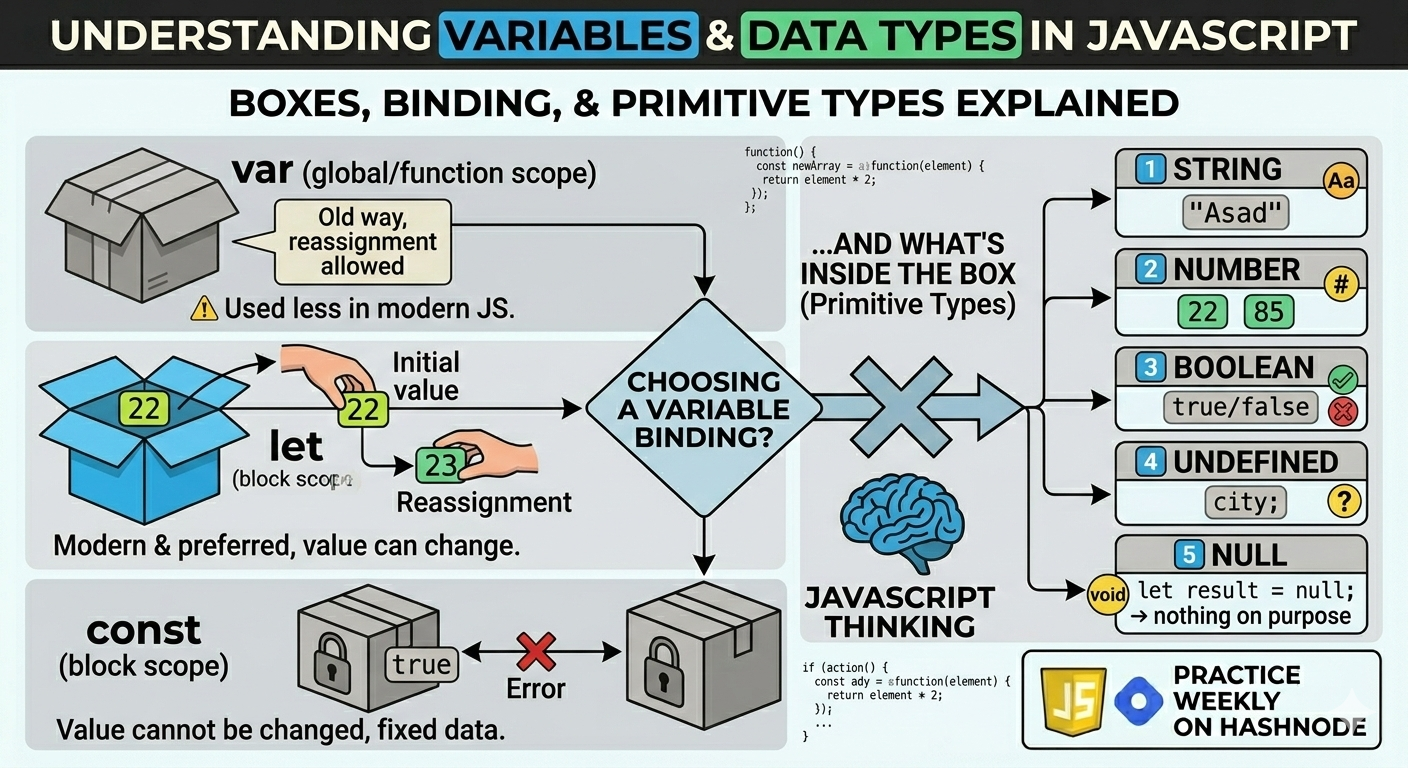
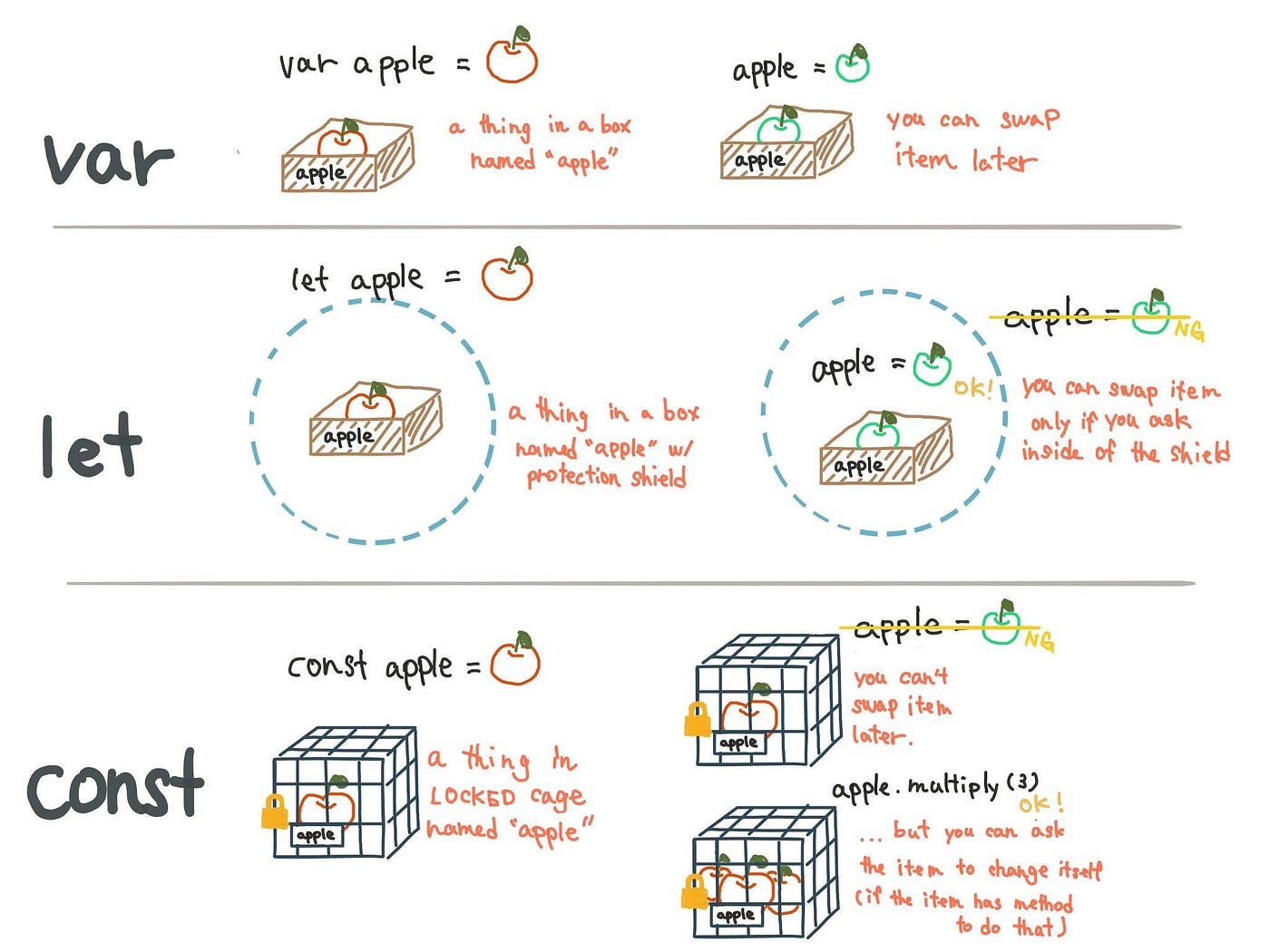
Think of a variable as a box.
You put something inside the box
You give the box a name
Later, you can use or change what’s inside

In programming, variables help us store information so that our program can use it again and again.
Why Do We Need Variables?
Without variables:
We couldn’t store user input
We couldn’t reuse values
Programs would be useless
Variables allow JavaScript to remember things.
Declaring Variables in JavaScript
JavaScript gives us three ways to create variables:
varletconst
Let’s understand them one by one.
Using var
var name = "Asad";
Old way of declaring variables
Can be changed later
Exists globally or inside functions
⚠️ Today, var is used less in modern JavaScript.
Using let
let age = 22;
Modern and preferred
Value can be changed
Limited to the block where it is defined
age = 23;
✔️ This works fine.
Using const
const isStudent = true;
Value cannot be changed
Used when data should stay fixed
isStudent = false; // ❌ Error
❌ JavaScript will not allow this.
Primitive Data Types in JavaScript
🌱 What are Primitive Data Types in JavaScript?
Primitive data types are the basic building blocks of JavaScript.
They store single, simple values (not complex).
👉 Think of them like individual items, not boxes full of items.
JavaScript has 7 primitive data types.
1️⃣ String
Used for: Names, messages, sentences
let name = "Mohammad Asad";
let city = "Meerut";
This of string as your name on an ID card → text → String
✅ Always written inside " " or ' '.
2️⃣ Number
Used for: Age, price, marks, score
let age = 22;
let price = 499.99;
JavaScript does not separate integers and decimals.
3️⃣ Boolean – True or False ✅❌
Used for: Yes/No, On/Off, Login status
let isLoggedIn = true;
let isPaid = false;
Real like analogy:
Door is locked or unlocked → true / false
👉 Only two values: true or false
4️⃣ Undefined – Value not assigned 🚫
When: Variable is declared but no value is given
let city; // undefine
JavaScript automatically assigns undefined.
5️⃣ Null – Empty on purpose 🗑️
Used when: You want to intentionally say “nothing”
let result = null;
👉 Difference:
undefined→ JS hasn’t filled it yetnull→ YOU cleared it
6️⃣ BigInt – Very Big Numbers 🧮
Used for: Numbers bigger than JavaScript can normally handle
let bigNumber = 12345678901234567890n;
🏦 Real-world example:
Country population or bank transactions → very big → BigInt
👉 Ends with n
7️⃣ Symbol – Unique Value 🔑
Used for: Creating unique identifiers
let id = Symbol("userId");
Real-world example:
Your Aadhar number → unique → Symbol
👉 Even if two symbols look same, they are never equal
Difference Between var, let, and const (Basic)
| Feature | var | let | const |
|---|---|---|---|
| Can redeclare | Yes | No | No |
| Can reassign | Yes | Yes | No |
| Scope | Function | Block | Block |
| Modern usage | ❌ | ✅ | ✅ |
What Is Scope? (Very Simple)
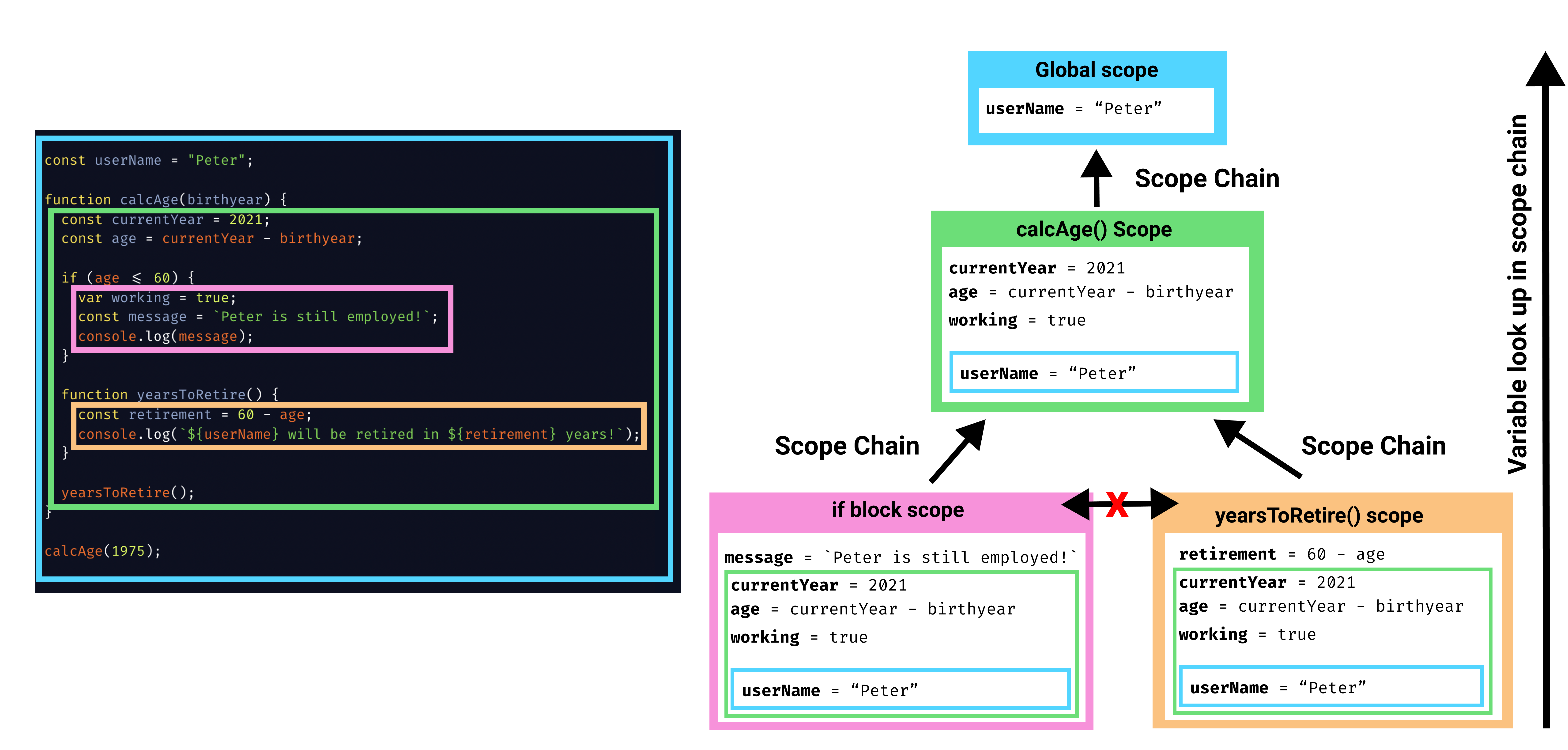
Scope means: where a variable can be used.
Example:
{
  let x = 10;
}
console.log(x); // ❌ Error
Because:
xexists only inside the block
Now with var:
{
  var y = 20;
}
console.log(y); // ✅ Works
👉 This difference is why let and const are safer.
🧪 Practice Assignment
1️⃣ Declare Variables
let name = "Asad";
let age = 22;
const isStudent = true;
2️⃣ Print in Console
console.log(name);
console.log(age);
console.log(isStudent);
3️⃣ Try Changing Values
age = 23;       // ✅ Works
isStudent = false; // ❌ Error
👉 Observe how let changes but const does not.
Final Thoughts
Variables and data types are the foundation of JavaScript.
Once you understand:
How to store data
Which type to use
When to use
letorconst
Everything else becomes easier:
Conditions
Loops
Functions
Real applications


