🧱 Understanding Objects in JavaScript
Learn how JavaScript objects store related data using key-value pairs with simple, real-world examples.

Introduction: Why Do We Need Objects?
Imagine you want to store information about a person:
Name
Age
City
You could use separate variables:
let name = "Asad";
let age = 22;
let city = "Mars";
But this becomes messy very quickly.
👉 Objects solve this problem by keeping related information together in one place.
What Is an Object in JavaScript?
An object is a collection of key-value pairs.
Key → property name
Value → actual data
Think of an object like an ID card:
name→ "Bhupendra"age→ 22city→ "Delhi"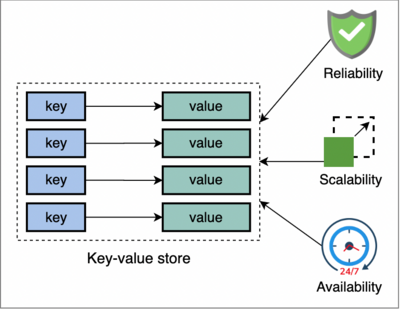
Creating an Object
Let’s create a simple object using curly braces {}.
const person = {
  name: "Asad",
  age: 22,
  city: "Delhi"
};
✔️ person is the object
✔️ name, age, city are keys
✔️ Their values store actual information
Object vs Array (Very Important Difference)
| Array | Object |
|---|---|
| Stores list of items | Stores related data |
| Accessed by index | Accessed by key |
| Order matters | Meaning matters |
Example:
const colors = ["red", "blue", "green"];
const person = {
  name: "Superman",
  age: 22,
  city name: "Neitheraland"
};
Accessing Object Properties
1️⃣ Dot Notation (Most Common)
console.log(person.name); // output -> Superman
console.log(person.age); // output -> 22
✔️ Simple
✔️ Clean
✔️ Used most of the time
2️⃣ Bracket Notation
console.log(person["city name"]); // Neitheraland
Bracket notation is useful when:
Property name is dynamic
Property name has spaces
Example:
const student = {
  "full name": "Mohammad Asad"
};

console.log(student["full name"]);
Updating Object Properties
You can change existing values easily.
person.age = 23;
✔️ Object is updated
✔️ No need to recreate the object
Adding New Properties
Objects are flexible. You can add properties anytime.
person.country = "India";
Now the object has a new key:
country
Deleting Object Properties
You can also remove properties.
delete person.city;
👉 The city key is removed from the object.
Looping Through Object Keys
Objects are often used with loops.
Using for...in Loop
for (let key in person) {
  console.log(key, person[key]);
}
Output:
name Superman
age 23
country India
✔️ key → property name
✔️ person[key] → property value
🧪 Practice Assignment
1️⃣ Create a Student Object
const student = {
  name: "Asad",
  age: 21,
  course: "Web Development"
};
2️⃣ Update One Property
student.age = 22;
3️⃣ Add a New Property
student.city = "Delhi";
4️⃣ Print All Keys and Values
for (let key in student) {
  console.log(key, student[key]);
}
Final Thoughts
Objects are one of the most important concepts in JavaScript.
Once you understand objects:
APIs make sense
Backend data becomes easier
Real-world applications feel logical
👉 Arrays store lists
👉 Objects store meaningful information


