🔁 Control Flow in JavaScript: If, Else, and Switch Explained
Learn how JavaScript makes decisions using if, else, and switch with simple real-life examples and beginner-friendly code.
Introduction: What Is Control Flow?
In real life, we make decisions all the time:
If it’s raining, take an umbrella
Else, go outside freely
If today is Sunday, relax
Else, go to work
Programming works the same way.
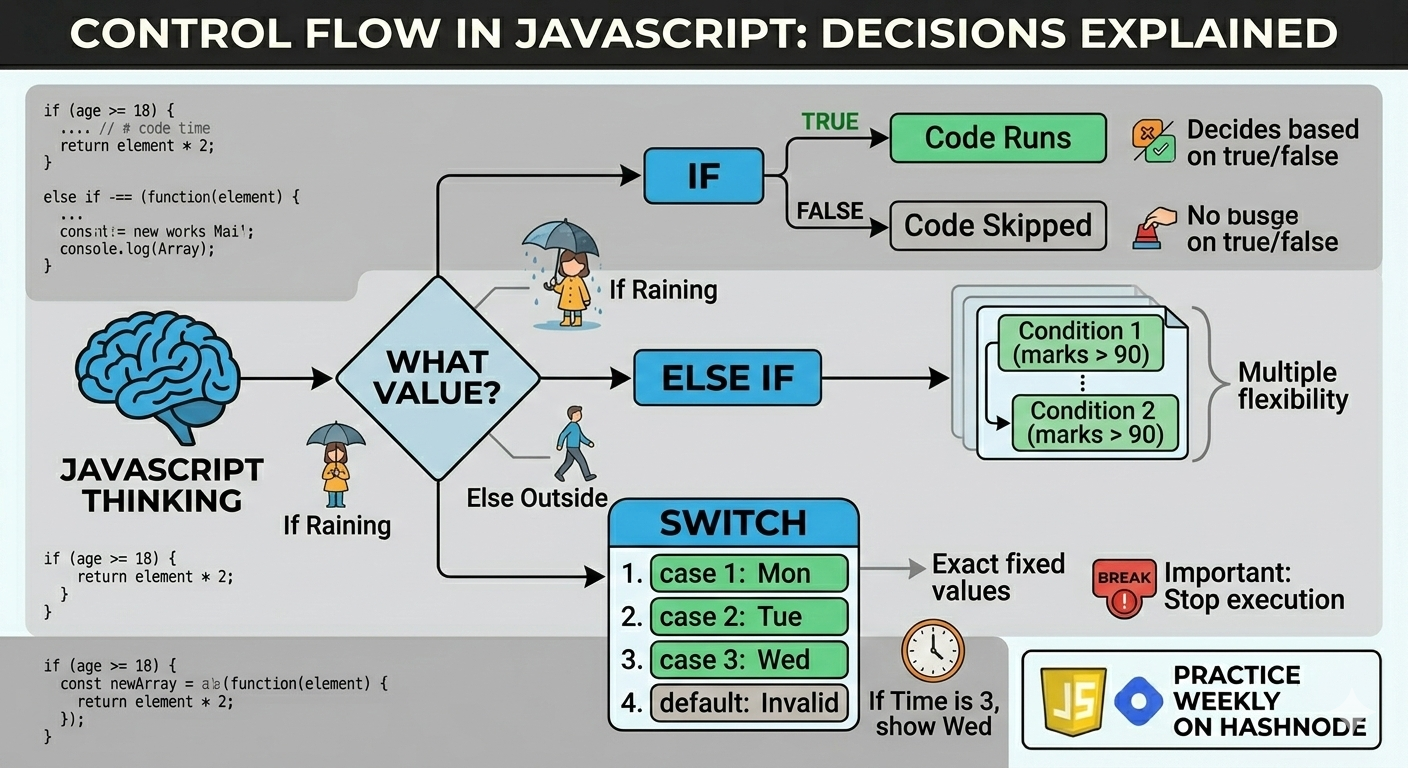
👉 Control flow means deciding which code should run and which should not, based on conditions.
Why Control Flow Is Important
Without control flow:
Every line of code would run
Programs couldn’t make decisions
Apps wouldn’t react to user input
Control flow allows JavaScript to think logically.
The if Statement
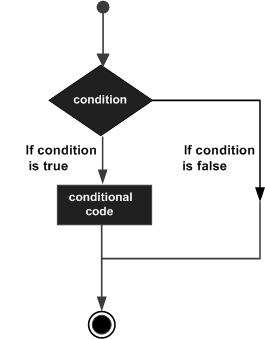
The if statement runs code only when a condition is true.
Example: Checking Age
let age = 20;

if (age >= 18) {
  console.log("You are allowed to vote");
}
✔️ Condition is checked
✔️ If true → code runs
✔️ If false → code is skipped
The if-else Statement
Use if-else when there are two possible outcomes.
Example: Pass or Fail
let marks = 35;

if (marks >= 40) {
  console.log("You passed");
} else {
  console.log("You failed");
}
👉 Only one block will run.
The else if Ladder
Use else if when there are multiple conditions.
Example: Positive, Negative, or Zero
let number = -5;

if (number > 0) {
  console.log("Positive number");
} else if (number < 0) {
  console.log("Negative number");
} else {
  console.log("Zero");
}
How this runs:
Check first condition
If false → move to next
Stops as soon as one condition is true
The switch Statement
switch is used when:
You compare one value
Against many fixed options
Example: Day of the Week
let day = 3;

switch (day) {
  case 1:
    console.log("Monday");
    break;
  case 2:
    console.log("Tuesday");
    break;
  case 3:
    console.log("Wednesday");
    break;
  default:
    console.log("Invalid day");
}
Why break Is Important in Switch
Without break, JavaScript will:
Continue executing the next cases
Even if the correct case is found
case 3:
  console.log("Wednesday");
  break;
👉 break stops execution once a match is found.
When to Use if-else vs switch
Use if-else when:
Conditions involve ranges (
>,<,>=)Logic is more flexible
Example:
if (marks > 90) { }
Use switch when:
Comparing exact values
Code becomes cleaner
Example:
switch(day) { }
✔️ Readability matters more than rules.
🧪 Practice Assignment
1️⃣ Positive, Negative, or Zero
let num = 0;

if (num > 0) {
  console.log("Positive");
} else if (num < 0) {
  console.log("Negative");
} else {
  console.log("Zero");
}
2️⃣ Day of the Week Using Switch
let day = 5;

switch (day) {
  case 1:
    console.log("Monday");
    break;
  case 2:
    console.log("Tuesday");
    break;
  case 3:
    console.log("Wednesday");
    break;
  case 4:
    console.log("Thursday");
    break;
  case 5:
    console.log("Friday");
    break;
  default:
    console.log("Invalid day");
}
Final Thoughts
Control flow is the brain of your program.
Once you understand:
ifelseswitch
You can:
Build real logic
Handle user decisions
Write meaningful programs


