🧠 Array Methods You Must Know (With Simple Examples)
Learn the most important JavaScript array methods with clear examples, before–after visuals, and beginner-friendly explanations.
Introduction
When you start learning JavaScript, arrays quickly become your daily companion.
You store numbers, names, products, users — everything inside arrays.
But the real power of arrays comes from array methods.
In this article, we’ll understand the most important array methods you must know as a beginner:
How they work
What changes they make
And how they make your code cleaner than traditional loops
1️⃣ push() – Add Element at the End
push() adds a new element at the end of an array.
Example
let numbers = [1, 2, 3];

numbers.push(4);
Before
[1, 2, 3]
After
[1, 2, 3, 4]
✔️ The original array changes
2️⃣ pop() – Remove Element from the End
pop() removes the last element from an array.
let numbers = [1, 2, 3, 4];

numbers.pop();
Before
[1, 2, 3, 4]
After
[1, 2, 3]
✔️ Also modifies the original array
3️⃣ unshift() – Add Element at the Start
unshift() adds an element at the beginning of the array.
let numbers = [2, 3];

numbers.unshift(1);
Before
[2, 3]
After
[1, 2, 3]
4️⃣ shift() – Remove Element from the Start
shift() removes the first element from the array.
let numbers = [1, 2, 3];

numbers.shift();
Before
[1, 2, 3]
After
[2, 3]
5️⃣ forEach() – Loop Through Each Element
forEach() lets you run a function on every element, but it does not return anything.
let numbers = [1, 2, 3];

numbers.forEach((num) => {
  console.log(num);
});
Output:
1
2
3
📌 Use forEach() when:
You want to log values
Perform side effects
Don’t need a new array
6️⃣ map() – Transform Each Element
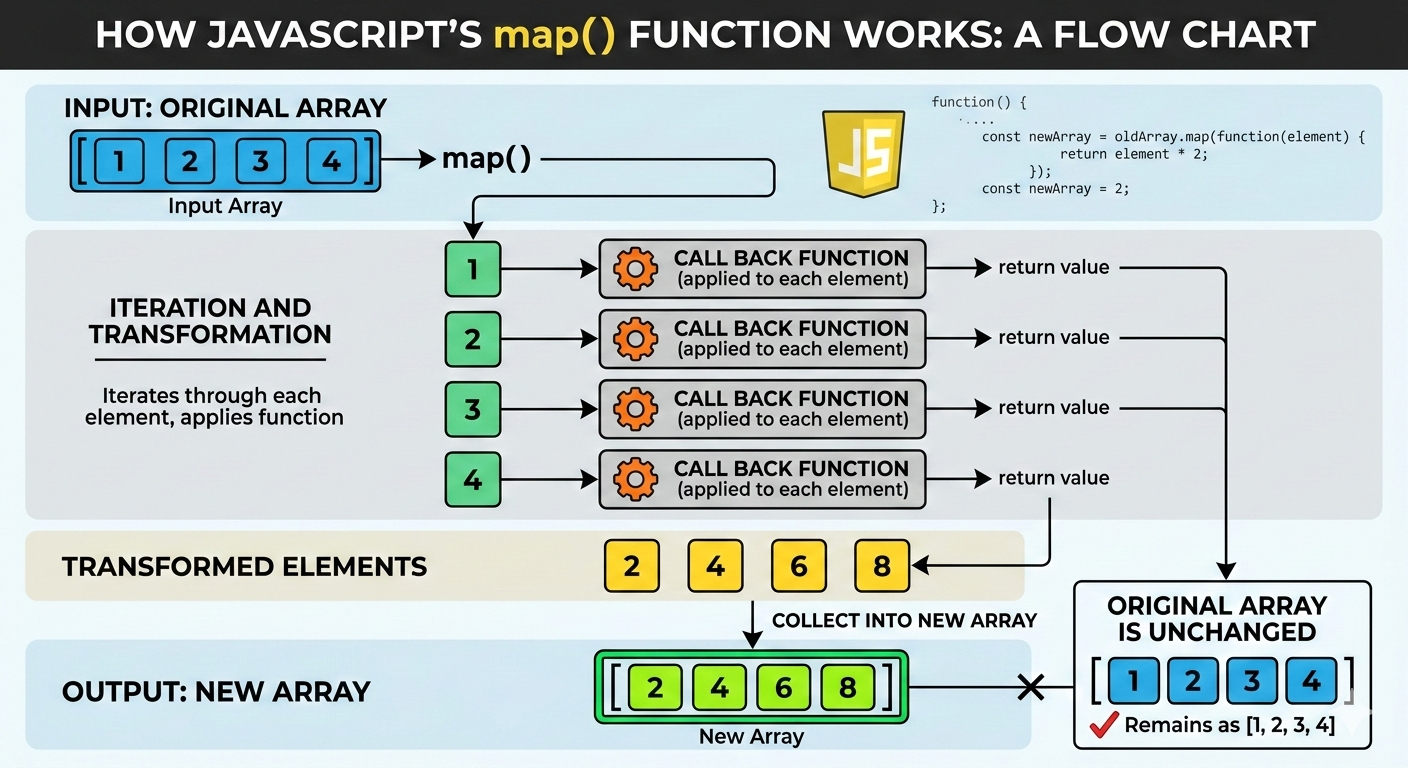
map() creates a new array by transforming each element.
Example: Double each number
let numbers = [2, 4, 6];

let doubled = numbers.map((num) => num * 2);
Before
[2, 4, 6]
After
[4, 8, 12]
✔️ Original array stays unchanged
✔️ Always returns a new array
for loop vs map()
Traditional for loop
let result = [];
for (let i = 0; i < numbers.length; i++) {
  result.push(numbers[i] * 2);
}
Using map()
let result = numbers.map(num => num * 2);
✔️ Cleaner
✔️ More readable
✔️ Intent is clearer
7️⃣ filter() – Select Specific Elements
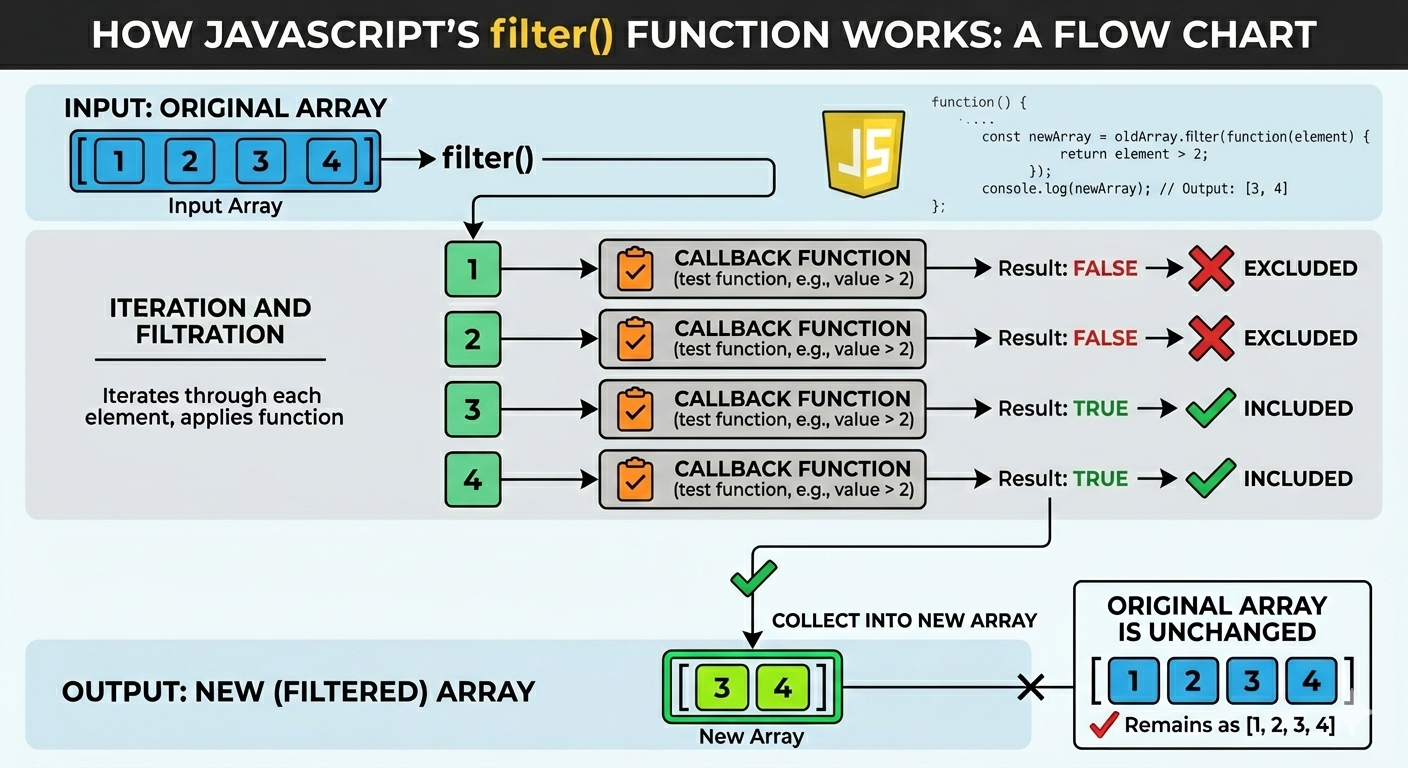
filter() creates a new array with elements that match a condition.
Example: Numbers greater than 10
let numbers = [5, 12, 8, 20];

let result = numbers.filter(num => num > 10);
Before
[5, 12, 8, 20]
After
[12, 20]
8️⃣ reduce() – Combine All Values into One
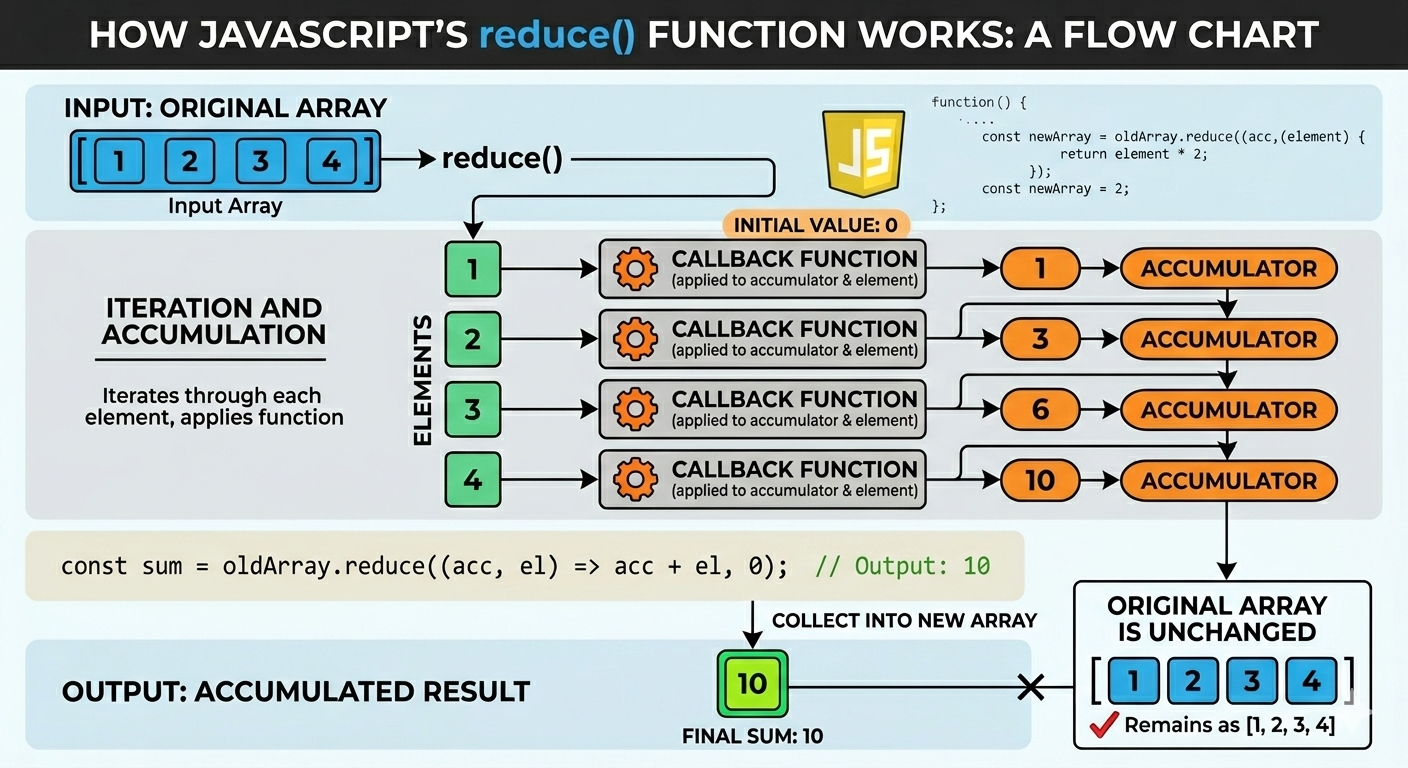
reduce() takes many values and reduces them into one single value.
Example: Sum of numbers
let numbers = [1, 2, 3, 4];

let sum = numbers.reduce((total, num) => {
  return total + num;
}, 0);
Step-by-step thinking:
Start with
total = 0Add each number to total
Final result →
10
🧪 Practice Assignment (Highly Recommended)
Try this in your browser console 👇
let numbers = [5, 8, 12, 3, 20];

// 1. Double each number
let doubled = numbers.map(num => num * 2);

// 2. Get numbers greater than 10
let filtered = numbers.filter(num => num > 10);

// 3. Calculate total sum
let sum = numbers.reduce((total, num) => total + num, 0);
🎯 This small exercise builds real confidence.
Final Thoughts
Array methods are not just syntax —
they are thinking tools.
Once you understand:
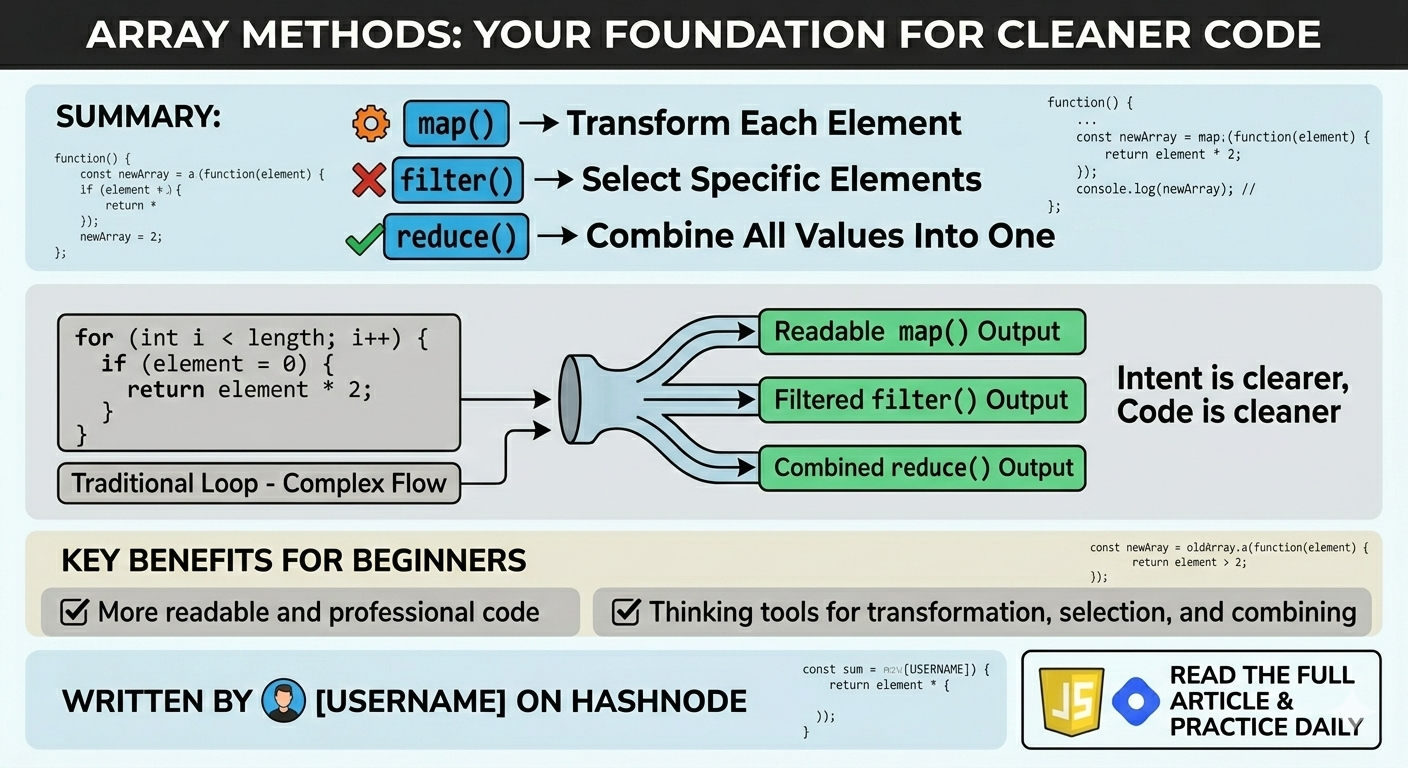
map()→ transformfilter()→ selectreduce()→ combine
Your JavaScript code becomes:
✔️ Cleaner
✔️ More readable
✔️ More professional


