HTMLCollection vs NodeList in DOM
A Beginner-Friendly Guide to Understanding the Difference

When you start learning JavaScript and the DOM (Document Object Model), you will often hear two confusing terms:
HTMLCollection
NodeList
At first glance, both look the same.
They behave like arrays, store multiple elements, and come from DOM methods.
So the big question is:
What is the real difference between HTMLCollection and NodeList, and when should we use which one?
This article explains everything step by step, in easy language, with simple examples, so even an absolute beginner can understand it.
What is the DOM? (Quick Recap)
Before jumping into HTMLCollection and NodeList, let’s quickly understand DOM.
The DOM is a tree-like structure created by the browser from your HTML.
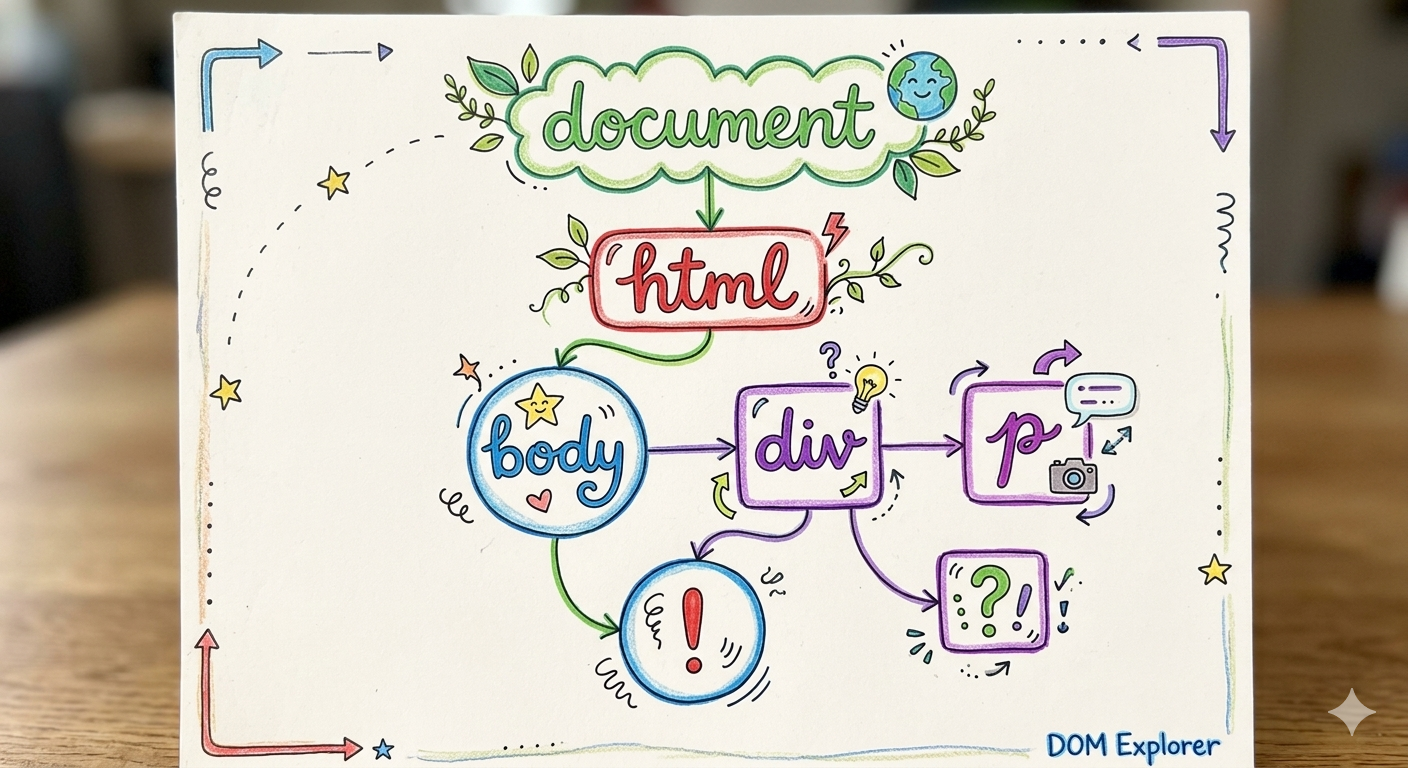
Example HTML:
<body>
  <h1>Hello</h1>
  <p>Paragraph 1</p>
  <p>Paragraph 2</p>
</body>
JavaScript uses the DOM to access, change, and manipulate HTML elements.
What is HTMLCollection?
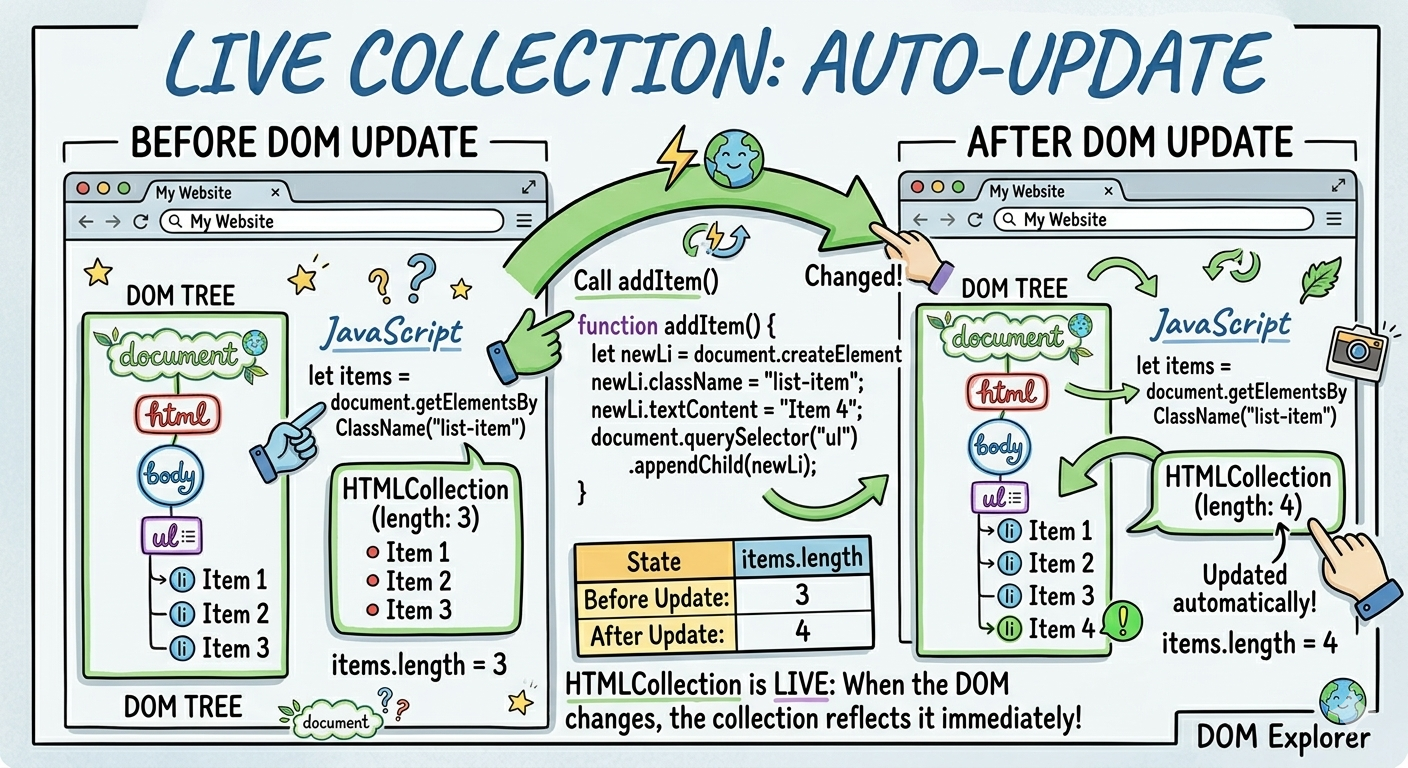
An HTMLCollection is a live collection of only HTML elements.
Key Points
Contains only element nodes
Live (updates automatically)
Looks like an array but not a real array
How HTMLCollection is Created
HTMLCollection is usually returned by methods like:
getElementsByTagName()getElementsByClassName()childrenproperty
Example:
const paragraphs = document.getElementsByTagName("p");
console.log(paragraphs);
This returns an HTMLCollection of all <p> elements.
Live Nature of HTMLCollection (Very Important)
HTMLCollection is live, meaning it updates automatically when the DOM changes.
Example:
const items = document.getElementsByClassName("item");

console.log(items.length); // 2

const newDiv = document.createElement("div");
newDiv.className = "item";
document.body.appendChild(newDiv);

console.log(items.length); // 3 (updated automatically)
👉 You didn’t re-fetch anything, but the collection updated itself.
What is NodeList?
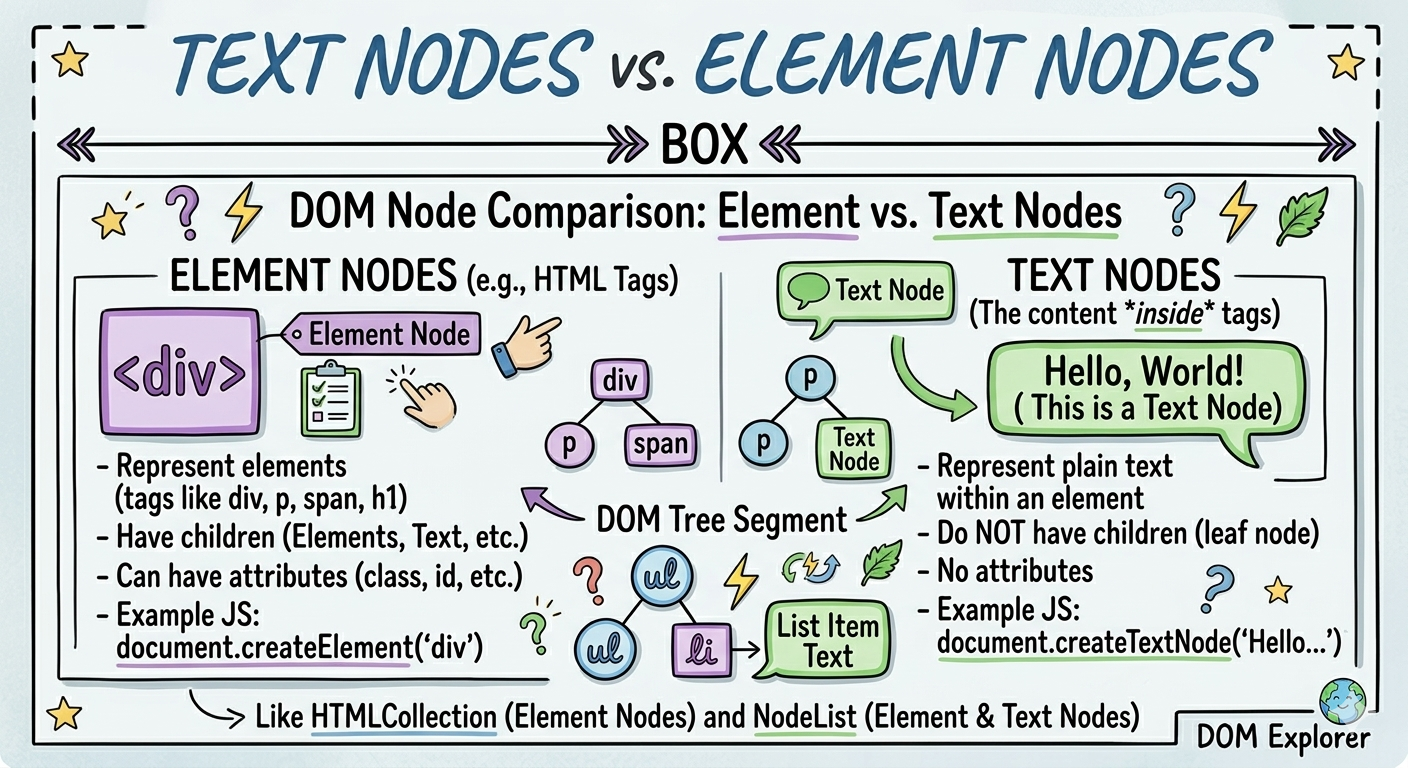
A NodeList is a collection of nodes, not just elements.
Nodes Can Be:
Elements
Text
Comments
How NodeList is Created
NodeList is returned by methods like:
querySelectorAll()childNodes
Example:
const paragraphs = document.querySelectorAll("p");
console.log(paragraphs);
This returns a NodeList.
Static Nature of NodeList
Most NodeLists (like from querySelectorAll) are static, meaning:
They do NOT update automatically when DOM changes.
Example:
const items = document.querySelectorAll(".item");

console.log(items.length); // 2

const newDiv = document.createElement("div");
newDiv.className = "item";
document.body.appendChild(newDiv);

console.log(items.length); // 2 (no change)
👉 NodeList stays the same unless you query again.
HTMLCollection vs NodeList (Side-by-Side Comparison)
| Feature | HTMLCollection | NodeList |
|---|---|---|
| Live or Static | Live | Mostly Static |
| Contains | Only HTML elements | Any node |
| Methods | Limited | More flexible |
| forEach() | ❌ Not available | ✅ Available |
| Access by name | ✅ Yes | ❌ No |
forEach() Difference (Very Common Confusion though very important diffrence)
NodeList Supports forEach
document.querySelectorAll("p").forEach((p) => {
  p.style.color = "blue";
});
HTMLCollection Does NOT
document.getElementsByTagName("p").forEach(() => {
  // ❌ give error (can not loop thorough directly)
});
Solution: First we have to Convert HTMLCollection into Array
Array.from(document.getElementsByTagName("p"))
  .forEach(p => p.style.color = "blue");
childNodes vs children
This is where confusion increases.
childNodes → NodeList
element.childNodes;
Includes:
Text (spaces, new lines)
Comments
Elements
children → HTMLCollection
element.children;
Includes:
- Only elements
When Should You Use HTMLCollection?
Use HTMLCollection when:
You need auto-updating collections
You are working with only elements
Performance matters in live DOM scenarios
Example:
document.getElementsByClassName("card");
When Should You Use NodeList?
Use NodeList when:
You want modern syntax
You need
forEachYou don’t want auto updates
You use CSS selectors
Example:
document.querySelectorAll(".card");
Best Practice (Recommended for Beginners)
✅ Use querySelectorAll() and NodeList
It is:
Easier to read
More predictable
More modern
const buttons = document.querySelectorAll("button");
buttons.forEach(btn => btn.addEventListener("click", handleClick));
Final Summary
HTMLCollection is live and element-only
NodeList is static and more flexible
NodeList supports
forEachHTMLCollection updates automatically
querySelectorAll()is the modern and safer choice
One-Line Memory Trick 🧠
HTMLCollection = Live + Elements
NodeList = Static + Flexible
Comments
Join the discussionNo comments yet. Be the first to comment.


